
Print from Claude
Print anything you design in Claude.
Design a poster, invitation, flyer, or one-pager in a Claude chat, then print and ship it without leaving the conversation. No file downloads, no account — order as a guest and we handle the rest.
Your connector link
https://designprint-connector.onrender.com/mcpCopy this, then open claude.ai/customize/connectors and follow the 5 steps below. Custom connectors are available on Claude paid plans (Pro, Max, or Team).
Set it up in 5 steps
You only do steps 1–2 once. After that, it’s just “print this”.
Open Claude’s connector settings
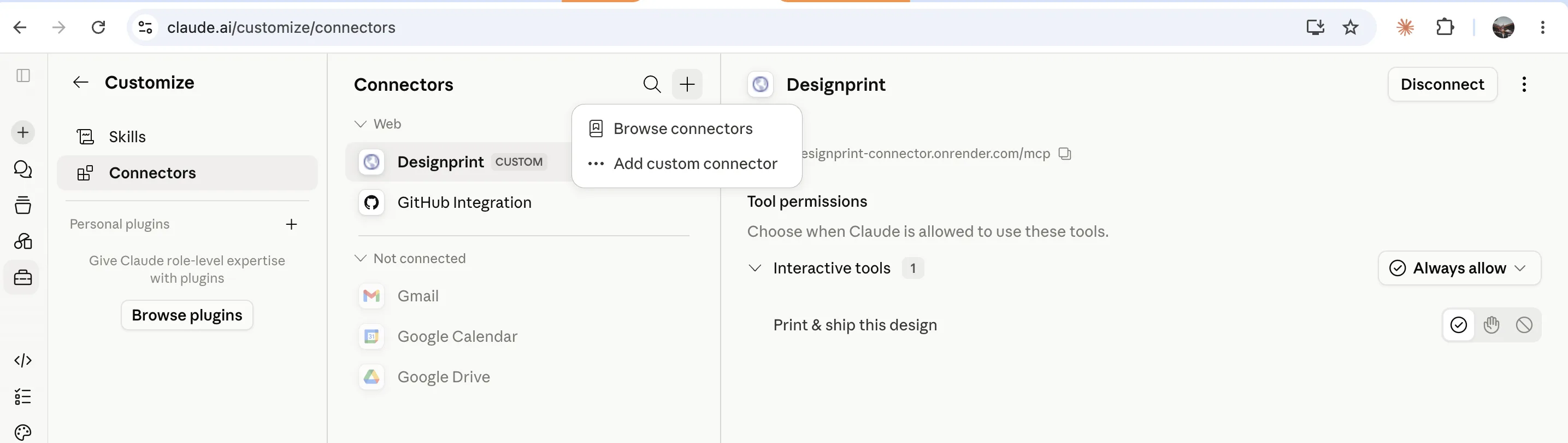
In Claude, go to claude.ai/customize/connectors. Click the + next to “Connectors”, then choose Add custom connector.
Paste the Designprint link
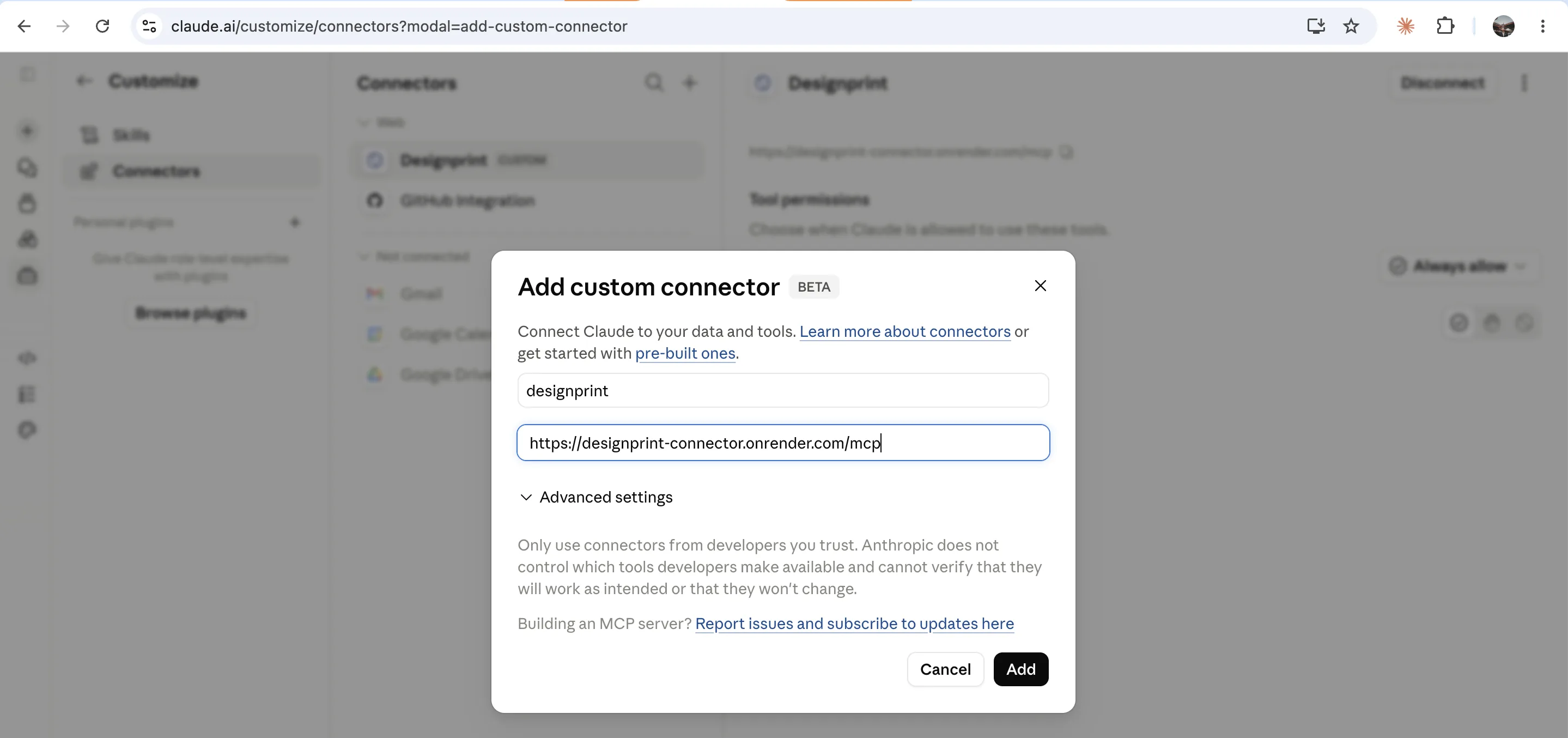
Name it designprint, paste the connector link (the one above) into the URL box, and click Add. It connects instantly — no sign-up.
Design anything in a chat
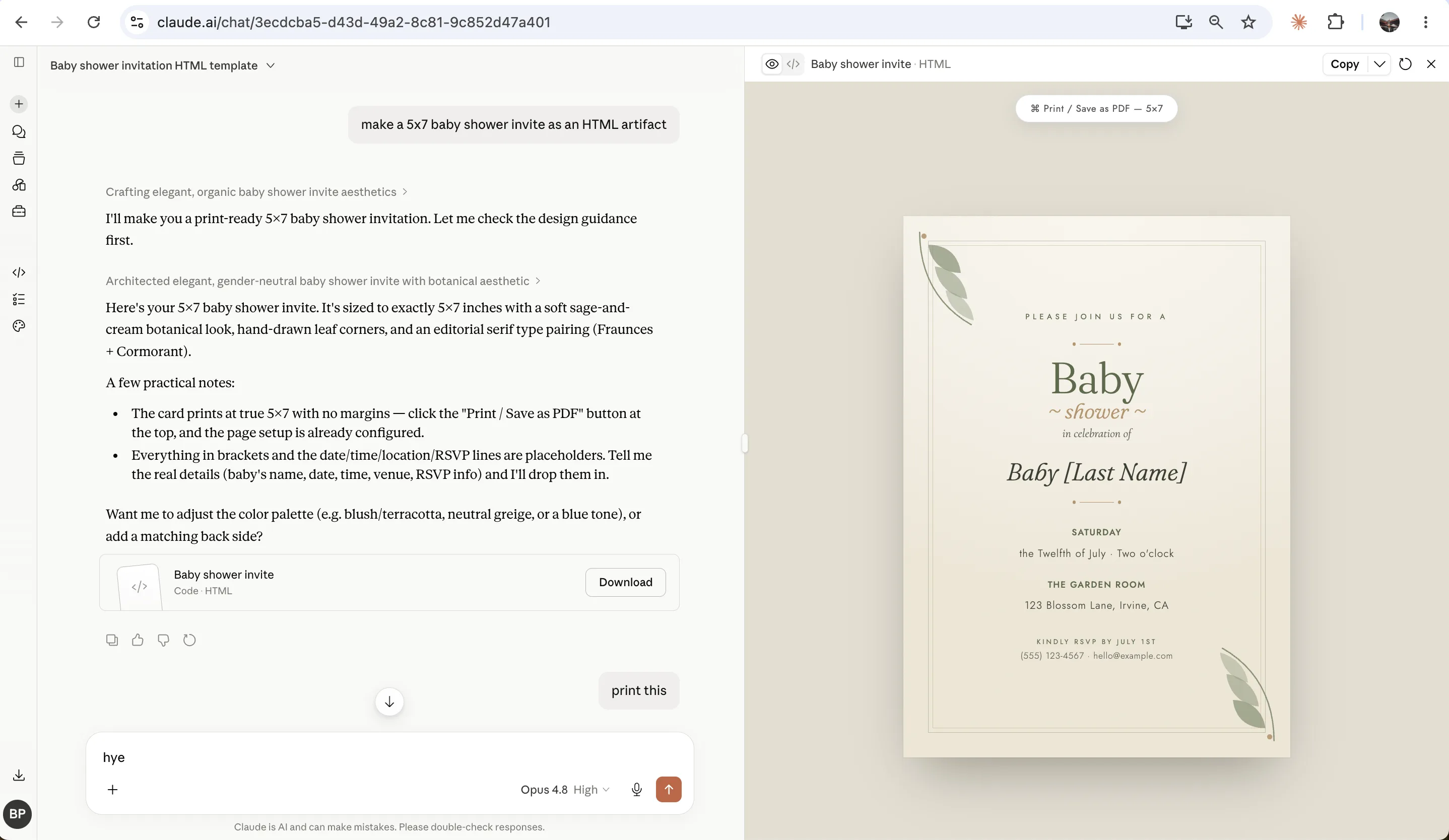
Ask Claude to make a poster, invitation, business card, flyer, or any design. Here it made a 5×7 baby shower invite.
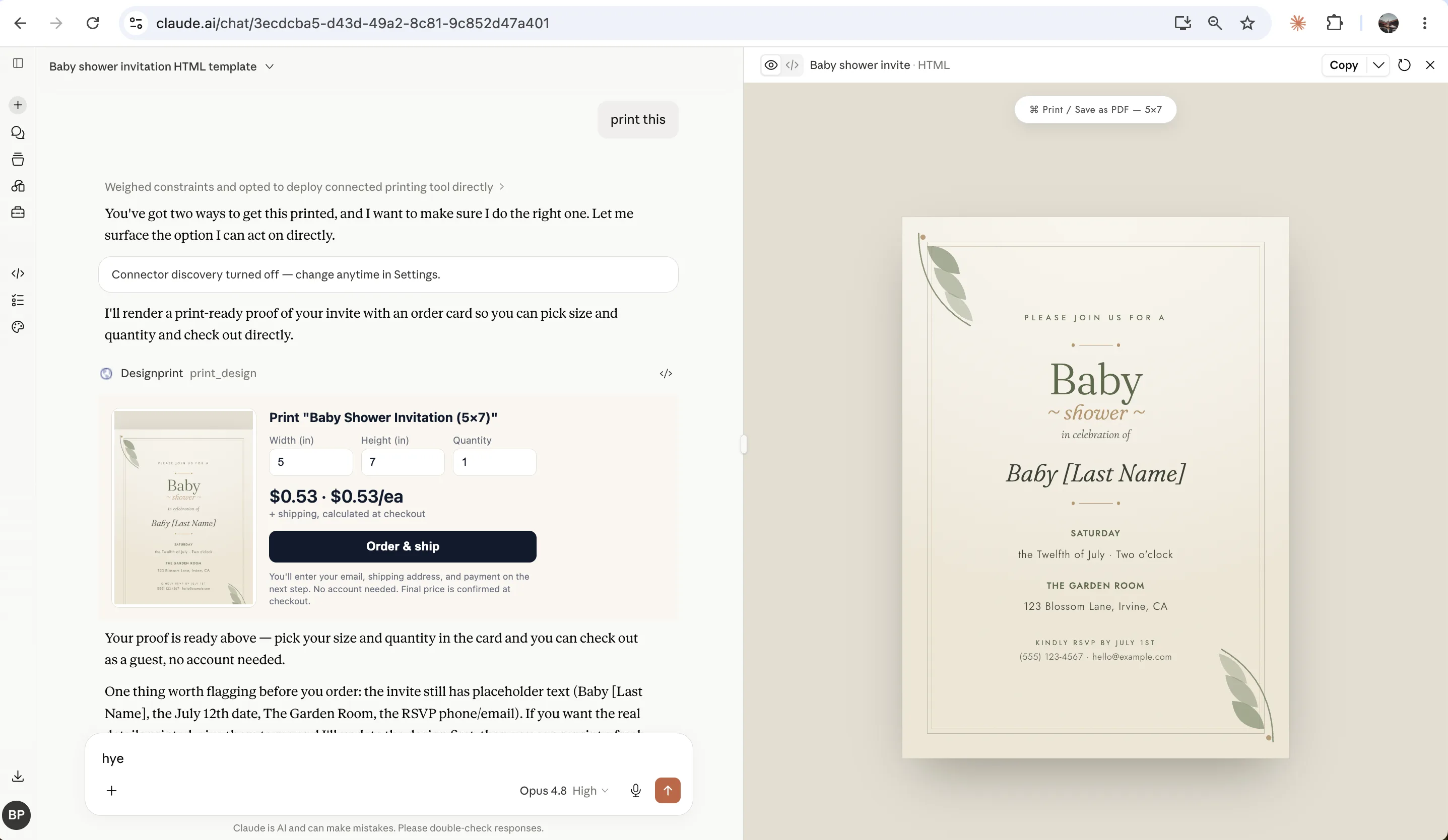
Type “print this”
A card appears right in the chat with a preview of your design, the print size, the quantity, and the price.
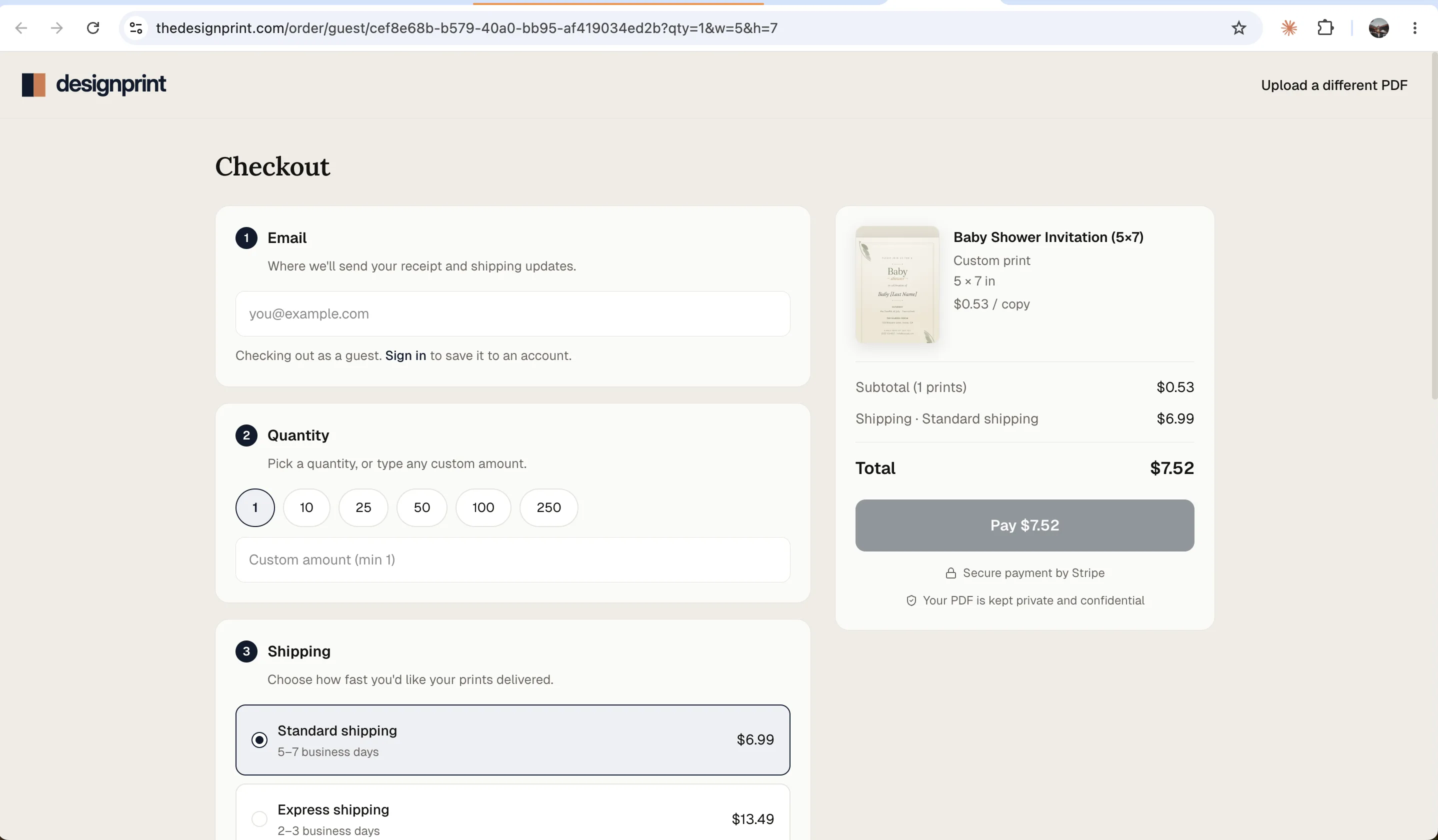
Order as a guest
Enter your email and shipping address, pick a quantity, and pay. We print it on quality stock and ship it to your door — no account needed.
That’s it — you’re set.
Add the connector once, then print anything you make in Claude, anytime.
Open Claude connectors